

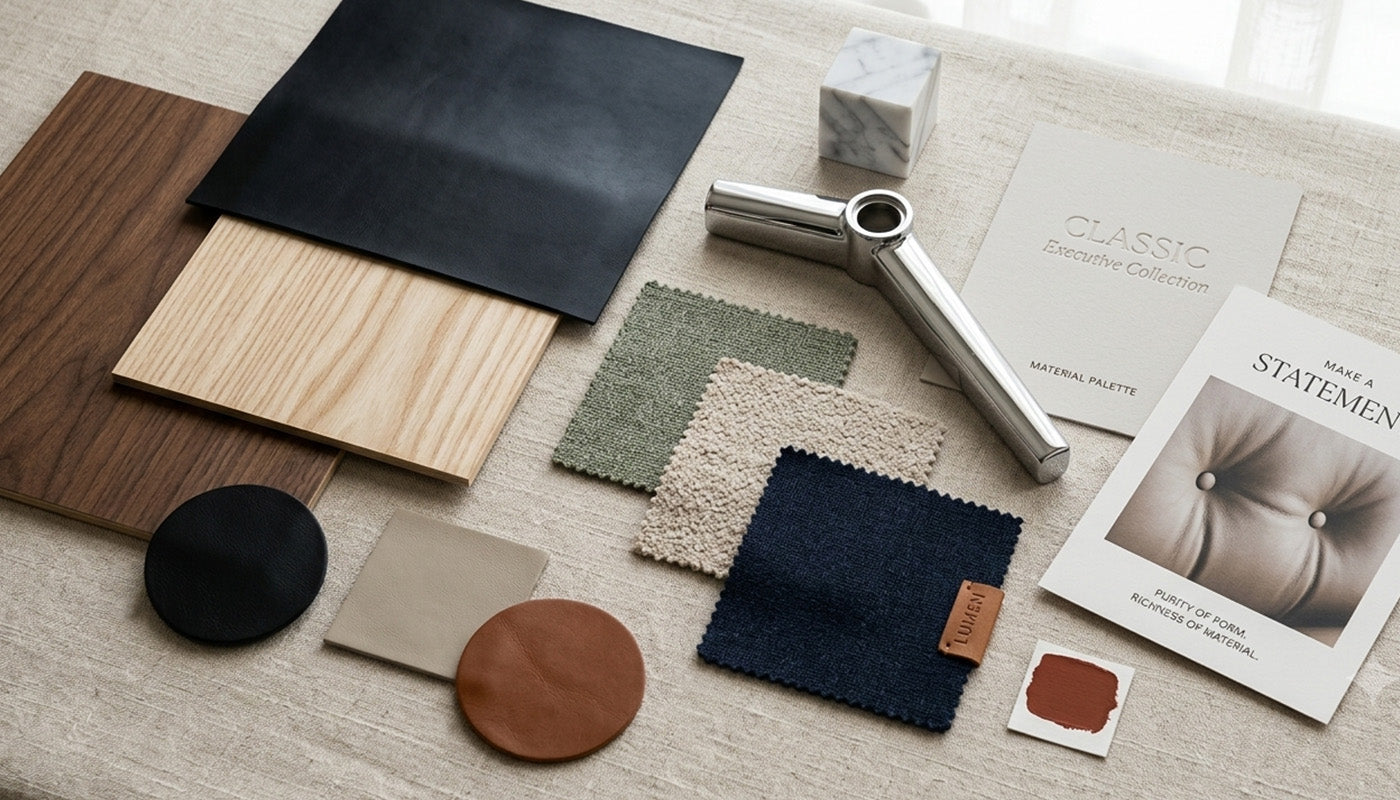




Executive suites deserve differentiated scale and material presence, while open workstations need repeatable, easy-to-order standards. Balancing executive suite furniture vs open plan workstation selection works best when both zones share a small, deliberate set of finishes or details instead of identical furniture.
When specifying executive suites and open workstations together, this guide walks through how to specify each zone, connect them visually, choose between wood veneer and laminate, and turn the plan into a procurement-ready brief.
Key Takeaways
- Give executive offices distinct scale and materiality; give open workstations repeatable specifications instead of matching every piece.
- Connect zones with a limited shared palette and one or two repeated details, not identical desks and chairs.
- Specify a substantial executive desk by measurable footprint, return orientation, storage, and compatibility, not by appearance alone.
- Choose wood veneer or laminate based on documented construction, care needs, and project availability, not assumed status.
- Confirm commercial shipping, installation, and return terms in writing before releasing a multi-room order.
Use Differentiated Hierarchy for the Two Zones
Executive suites should get a distinct scale and materiality brief, since these private rooms are where visible hierarchy matters most. Open-plan workstations should get a repeatable specification instead, so planning and ordering stay consistent across dozens of desks.
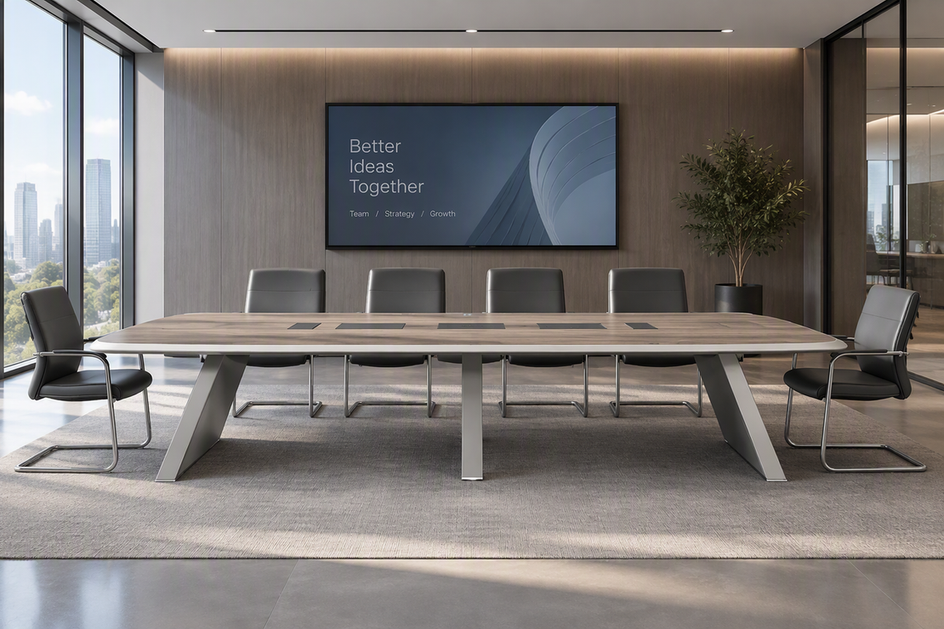
The two zones do not need matching furniture to feel like one floor. A private office can carry a heavier desk-and-seating presence while an open floor of open workstations repeats one finish family and layout module. Reserve a small set of shared cues, such as a wood tone or edge detail, to link the rooms together, and browse private office furniture separately from the workstation standard so each brief stays focused on its own job.

Specify Executive-Suite Materiality Without Overclaiming Performance
An executive suite should feel substantial through documented materials and measurable scale, not through a premium-sounding description. Confirm the exact model, dimensions, and material variant before treating any chair or desk as the executive standard for a room.
Leather Seating as a Materiality Decision
Leather coverage is a legitimate materiality cue when the exact model, dimensions, and construction are documented. The genuine leather executive chair record lists a genuine-leather front, silicone-leather back, a high back with contoured lumbar support, and a 90 to 135 degree tilt range across three locking positions. Overall size runs 27.50 inches deep by 27.50 inches wide, with seat height adjusting from 17.37 to 20.87 inches. Leather coverage alone does not prove durability or superior ergonomics; confirm the upholstery variant, order quantity, and room clearance against the desk it will pair with before finalizing the room schedule.
Make Desk Scale Measurable
A substantial executive desk should be specified by overall footprint, return orientation, surface construction, storage, cable routing, and accessory compatibility, not by visual weight alone. The 63-inch executive standing desk documents a 63-inch by 29.13-inch top, a 28 to 49.19-inch height range, walnut veneer or sintered-stone desktop options, two drawers, monitor-arm compatibility, and a stated 265-pound maximum weight capacity. It is a straight desk rather than a confirmed L-shaped configuration, so treat these fields as an example of what a brief should capture rather than a ready L-desk answer. A walnut-veneer executive desk with khaki cabinetry is currently listed as coming soon with no published dimensions, so use it only as a finish reference until its specification sheet is confirmed.
Connect Executive and Open-Plan Zones With a Controlled Design Language
A limited shared palette connects the two zones without erasing the difference in scale between them. Repeating one or two details, rather than the whole furniture set, keeps executive rooms distinct while still reading as part of the same floor.
Select a Shared Palette
Pick a small set of approved finishes, colors, and hardware references that apply across both zones. Use the executive finish as an accent where the brief calls for it, rather than assuming every open workstation needs the same surface, and record the exact material name and finish code in the room schedule so substitutions do not drift during ordering.
Repeat Details, Not Furniture
Carry one or two observable details, such as a wood tone, an edge profile, or a leg geometry, from the executive rooms into the open floor. Keep executive scale and seating presence distinct from the workstation repetition so hierarchy remains visible. Check the relationship with finish samples, elevations, or a room-by-room schedule before approving the full package, since photos alone can hide a color mismatch.
Choose Veneer or Laminate by the Job, Not by Status
Choose wood veneer or laminate based on the documented construction, finish consistency, and care requirements for the exact product in question, not on which material looks more expensive. The comparison below stays limited to what the available product and material evidence actually supports.
| Selection dimension | Wood veneer | Laminate |
|---|---|---|
| Documented finish/construction | Walnut veneer confirmed on named executive desk records | No exact-model laminate record supplied; verify before specifying |
| Visual role | Reads as a natural wood accent for executive rooms | Typically used for a uniform, repeatable workstation look |
| Care/performance evidence | Not established beyond the listed finish | Not established for any specific product in this pack |
| Repeatability/availability | Tied to the specific desk model and its current status | Depends on the exact product line ordered |
| Required verification | Confirm dimensions and current availability before order | Confirm exact product, finish code, and stock before order |
Neither material is shown here to outperform the other. Select the option whose exact construction, finish, and current availability are confirmed for the room you are specifying, and request a physical sample before committing a multi-room order to one finish.
Turn the Design Into a Project-Ready Procurement Brief
A project-ready brief lists exact models, dimensions, material variants, quantities, and compatibility for every room before anyone requests a quote. Commercial terms like lead time, delivery scope, and returns stay open questions until confirmed in writing.
Freeze the Room-by-Room Schedule
List executive offices and open-plan workpoints as separate line items, each with quantity and room reference. Capture the model name, dimensions, material variant, finish code, accessories, and desk-chair compatibility for every item, and flag anything still marked as a candidate or coming soon so it does not get treated as confirmed inventory.
Separate Product Facts From Project Terms
Verify current availability and lead time by exact model, quantity, and material variant rather than assuming a published spec sheet reflects current stock. Ask specifically whether delivery includes transportation only, inside delivery, room placement, assembly, or full installation, since these are separate scopes. Our shipping policy covers standard retail terms, but a multi-room commercial order should have its delivery scope, returns, warranty, substitutions, and trade-account conditions confirmed in writing for the specific project before you approve a purchase order.
Run One Installation-Readiness Check
Run one readiness check before delivery day rather than relying on the procurement brief alone. Confirm each item below and assign a signoff owner so nothing is approved verbally at the loading dock.
- Confirm final room dimensions, doorways, elevators, loading access, and any site restrictions.
- Match each delivered carton or item to the approved model, quantity, dimensions, and material variant.
- Confirm the written scope for transportation, inside delivery, room placement, assembly, installation, and damage reporting.
- Assign a building contact, installer contact, and escalation owner for the delivery day.
- Verify desk return orientation, chair clearances, accessory compatibility, and workstation orientation before final placement.
- Inspect finish, surfaces, hardware, and any visible damage at handoff.
- Record punch-list items, photos, and completion status, then obtain final signoff.
Request Trade or Project Help With a Complete Information Packet
Request project help once the package spans multiple rooms, needs repeatable workstation quantities, or requires coordinating material variants across zones. A generic recommendation request is harder to act on than a complete brief.
Know When the Project Merits an Inquiry
Reach out when you have unresolved desk dimensions, workstation configurations, delivery constraints, or schedule dependencies that a single product page cannot answer. Our Trade Program page is the right place to start that conversation, though we recommend confirming current program benefits directly before assuming a specific term applies to your order.
Send a Decision-Ready Information Packet
Send floor plans or room dimensions, zone assignments, quantities, exact models or candidates, material variants, accessory needs, and target dates. Ask for itemized pricing, availability, lead times, delivery and installation scope, returns, warranty, substitutions, and project-order conditions in the same request. We can respond faster and more precisely to a complete packet than to a general inquiry about "executive furniture."

FAQs
How should we verify lead time for a multi-room furniture order?
Request lead time by exact model and material variant, not by category. Ask for quantities, quote validity dates, an estimated ship date, and whether delivery will happen in one shipment or staged across the project, and get that schedule in writing before releasing the order.
What should an installation quote define before furniture arrives?
Ask exactly what the installation quote includes and excludes, such as freight handoff, inside delivery, room placement, assembly, packaging removal, and who owns the punch-list review. Do not assume any one of these steps is automatically included just because the quote mentions "installation."
Can retail shipping and refund policies be applied to a commercial furniture project?
Our published refund policy and shipping terms describe standard retail purchases, and they should not be assumed to automatically govern a multi-room commercial order. Ask for the applicable project-order terms in writing for your specific quantities and delivery arrangement before you rely on either policy.
Does a trade account automatically set the terms for a furniture package?
Trade access or a project inquiry does not by itself guarantee a specific price, lead time, installation scope, or service package. Provide your full room-by-room brief and ask for each benefit explicitly, such as pricing, delivery scope, and installation support, so the response addresses your actual project rather than a general account tier.


Leave a comment
This site is protected by hCaptcha and the hCaptcha Privacy Policy and Terms of Service apply.