





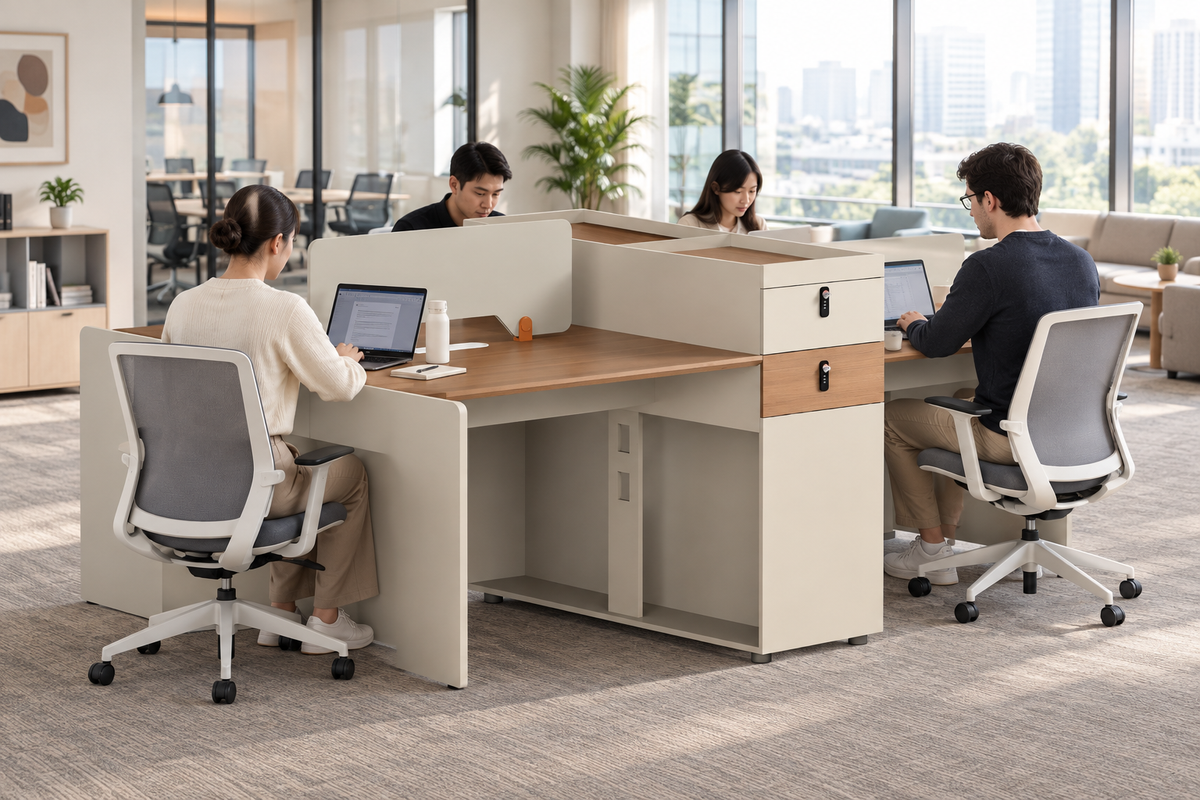
Understanding how to calculate workstation count based on hybrid attendance starts with department peak days rather than an arbitrary headcount ratio. Calculating that peak separately for every department and workday lets you divide seat capacity into dedicated workstations and flexible shared desks, preventing costly over-purchasing.
This method keeps you from sizing your floor plan for an artificial average or facing seat shortages during peak overlap days. The practical framework below walks through attendance data cleaning, assigned-versus-shared segmentation, schedule stress-testing, and the procurement details needed before requesting a commercial quote.
Start With Peak Simultaneous Attendance, Not Headcount
The first calculation is not "how many employees do we have" but "what is the highest number of people from each department who are onsite on the same day." That recurring peak, not total headcount, sets your baseline furniture quantity.
Define the Planning Population
Only count people who actually need the workstation type you are sizing. Employees, and any other regular users such as long-term contractors, belong in the count when they use that workstation type on a recurring basis. Separate out anyone with specialized equipment, privacy, storage, or security needs; they usually need assigned capacity rather than shared capacity, and mixing them into a general pool will understate the seats they actually require.
Find the Recurring Peak
- Group your cleaned attendance data by department and by workday, so each department has a daily onsite count for a normal week.
- Identify the highest recurring daily count for each department, and set aside any single unusually high day that is not part of the normal pattern.
- Check whether departments' peak days overlap before adding their peaks together; only combine peaks that actually land on the same recurring day.
Turn Peaks Into a Baseline
The sum of each department's peak, after checking for overlap, gives you a baseline seat count. Treat this baseline as a planning estimate, not a purchase order. The next decision, covered below, is how much of that baseline needs a dedicated seat and how much can be served by a shared pool.

Clean Attendance and Anchor-Day Data Before Counting Seats
Before you calculate anything, the underlying attendance file needs to be complete, deduplicated, and mapped to departments and workspace needs. Skipping this step is the most common way a seat count goes wrong before the math even starts.
Calculation Variables to Capture
| Variable | What to record | Why it changes the seat estimate |
|---|---|---|
| Population | Employees and regular users needing this workstation type | Excludes visitors and mismatched workspace types |
| Department | Team or cost-center identifier | Enables department-level peak calculation |
| Workday | Calendar day of attendance | Identifies which days actually overlap |
| Scheduled onsite status | Expected attendance per policy or roster | Baseline expectation before verification |
| Observed onsite signal | Badge, access, or check-in record | Confirms or corrects the scheduled expectation |
| Assigned-seat requirement | Equipment, privacy, storage, or security need | Moves a person from the shared pool to assigned capacity |
| Shared-seat eligibility | Whether the role can use any available desk | Determines pool size |
| Exception flag | Holiday, travel, leave, one-time event | Removes noise from the recurring peak |
| Planning horizon | Time window the data covers | Sets how current the estimate remains |
This table is the single place these fields are defined; later sections use the cleaned output without repeating the definitions.
Clean the Attendance File
- Deduplicate badge or access records and normalize dates so each person has one entry per day.
- Map each person to a department and to their workspace requirement, using HR or org-chart data rather than guesswork.
- Flag exceptional days, such as company events, onboarding weeks, or travel, and remove unresolved or unmatched records from the recurring calculation.
- Confirm the resulting day-by-department counts with HR, facilities, and department leaders before treating them as final.
Attendance and occupancy data of this kind is most reliable when it draws on more than one source, such as badge records, schedules, and organizational rosters, rather than a single feed. Federal guidance on attendance and occupancy data describes combining these sources for federal office space; the same combined-source approach is useful for a private office, though it is not a mandated private-sector method.
Choose a Defensible Planning Window
Pick a period that reflects normal recurring operations, such as a typical month outside of holidays or major projects. Document any seasonal effect, such as summer travel or year-end closures, instead of averaging it away silently. There is no fixed number of weeks that works as a universal standard; the right window is whatever your stakeholders agree represents normal attendance.
Separate Assigned Workstations From Shared Desks by Department
Assigned workstations and shared desks answer different questions, and combining them into one ratio hides which departments actually need dedicated seats. Decide the split department by department, using the work requirement and the overlap pattern, not a blanket percentage.
Assign Seats Where the Work Requires Continuity
A seat should be assigned when dedicated equipment, privacy needs, storage, security clearance, or an accommodation makes sharing impractical for that person or role. Confirm this at the role level with department leaders rather than assuming a fixed share of every department needs assigned seating; the requirement varies by function, not by a company-wide average.
Pool Only Compatible Unassigned Demand
A shared desk only works if more than one eligible person can actually use it under a clear reservation or release process. Size the shared pool for the highest same-day unassigned demand in that department, not the sum of everyone who might attend during the week. Before pooling two departments together, confirm their peak days do not land on the same recurring day and that their workspace needs are compatible; otherwise you are counting on capacity that will not be there when both teams show up.
Worked Example With Hypothetical Inputs
Here is a labeled hypothetical to show the arithmetic, not a benchmark for any real office. Department A has a peak of 18 simultaneous seats, of which 10 must be assigned, leaving 8 unassigned seats to cover with shared desks. Department B has a peak of 12, with 4 assigned, leaving 8 unassigned. If the two departments cannot safely share the same pool, because their peak days coincide or their workspace needs differ, the illustrative total is 16 shared desks. If their peak days do not overlap and their needs are compatible, test the pooled maximum instead of simply adding the two totals, since a compatible pool may need fewer than 16 desks.
Stress-Test the Estimate Against Schedule Changes
A single calculation from one snapshot of attendance data is fragile. Running a base case, a high-overlap case, and a change case shows how sensitive your seat count is to schedule shifts before you commit to an order.
Build a Base Case
Start with the validated recurring schedule and current department structure from the cleaning step above. This produces one baseline result that stakeholders can review and sign off on before you test alternatives.
Test High Overlap and Change Cases
Increase the overlap assumption only when your own schedule data shows departments plausibly shifting their anchor days closer together, not as a generic safety margin. Model hiring plans, return-to-office policy changes, seasonal workload, or project ramp-ups as separate named cases, each with its own resulting seat count, rather than folding them into one arbitrary buffer percentage.
Document the Controlling Assumption
Identify the single assumption, such as a specific department's anchor-day change or a hiring plan, that moves the quantity the most between cases. Assign that assumption an owner and a confirmation date. The seat count stays provisional until that owner confirms it, and it should be revisited again once occupancy data is available after the furniture is in use, rather than treated as a permanent target.
Use Modularity to Keep the Order Adjustable
Modularity affects how easily you can adjust a workstation order later, not how many seats your attendance data says you need. Treat it as a procurement decision layered on top of the quantity calculation above, not a way to justify a smaller order.
Use Modularity to Manage Quantity Changes
A modular desk system can make it easier to reconfigure seating when a team grows, shrinks, or moves, since flexible infrastructure supports changing work groups more readily than fixed, purpose-built layouts. That flexibility does not change the seat-demand number from your calculation; it only affects how much rework is needed if the number changes later.
Evaluate Configuration Rounding
Match your calculated seat quantity to the configuration sizes actually available. If your shared-desk total does not divide evenly into the available unit sizes, decide whether to round up for a small buffer of unused seats or round down and accept a tighter pool, and check whether site layout or existing furniture placement limits which configuration fits.

Bounded Product Candidate
Our Coworking Partition Workstation is a modular team desk system available in 2-person, 4-person, and 6-person configurations with privacy screens, which makes it one option worth evaluating against a calculated shared-desk total in that seat range. Confirm current availability, dimensions, materials, and project terms before selecting it, since documented specifications beyond configuration size and privacy screening are not established here. Guidance on designing for a changing workplace supports planning for multiple workspace types and future reorganization generally, but it does not certify any single product's fit for your layout.
Prepare a Commercial Furniture Quote Request
A quote request needs the seat quantity from your calculation plus the configuration, delivery, and commercial terms that turn a planning estimate into a firm order. Treat these as separate questions to confirm in writing, not assumptions carried over from a retail purchase.
Procurement-Readiness Checklist
- Confirm the department-by-day seat quantities and the assigned/shared split from your calculation.
- Specify workstation configuration, partition or privacy needs, storage, and power or data coordination.
- Note site restrictions such as door widths, elevator access, or loading dock availability.
- Request delivery point, receiving responsibility, inside delivery, placement, assembly, installation, and debris removal terms in writing.
- Confirm project schedule, change-order process, and cancellation terms.
- Request written damage-claim, restocking, and return terms specific to this order.
Separate Freight From Site Services
Transportation, curb or dock delivery, inside delivery, placement, assembly, installation, and debris removal are separate line items unless the quote expressly includes them. Our commercial shipping terms note that freight delivery is often limited to an accessible loading dock, loading area, or curb, and that commercial, bulk, custom, or project orders have their specific service scope listed in the applicable quote, Sales Order, or project schedule. Confirm which services your quote actually includes before scheduling receiving staff.
Treat Returns as Project Terms
Our posted retail return policy covers standard purchases with a defined return window and restocking fee, and it does not automatically extend to commercial, bulk, custom, or project orders. Request project-specific cancellation, damage-claim, and return terms in writing before finalizing a commercial order, rather than assuming the retail terms apply.
When you have a department-level estimate and a configuration in mind, send us your attendance-based seat count, configuration needs, site conditions, and target schedule, and our commercial project team can put together a written quote for your order.
FAQs
What if the highest attendance day was caused by a one-time event?
Classify that day separately from your recurring peak and document why it happened, such as a company event or an all-hands meeting. Run it as a change-case scenario rather than folding it into the baseline, unless stakeholders confirm the attendance level is actually becoming a regular pattern.
Should contractors, interns, and visitors be included in the workstation count?
Only include them if they use the same workstation type you are sizing and their attendance is regular enough to matter for the peak calculation. List contractors, interns, and visitors as separate populations when their attendance, access rules, equipment, or workspace needs differ from full-time staff, so their occasional presence does not inflate the recurring estimate.
When does a planning estimate become a commercial furniture order quantity?
It becomes an order quantity only after configuration, site services, delivery schedule, cancellation terms, damage-claim terms, and return terms are confirmed in writing through a quote, Sales Order, or project schedule. Until then, the department-by-day calculation remains a planning estimate that can still shift with schedule confirmation.



Leave a comment
This site is protected by hCaptcha and the hCaptcha Privacy Policy and Terms of Service apply.